
Google Preview Tool
The way your site content appears in Google is important. With our Google Preview Tool, you can preview how your pages will look in search engines, ensuring users see the information they need to click.


 4.9 rating · 1,100+ reviews


Why use our Google Preview Tool?
A staggering 93% of online experiences begin with a search engine. That means your Google listing is often your first impression. When users see your pages ranked in search engines, there are a few things they’ll see — a title tag, a meta description, and your website URL — to name a few.
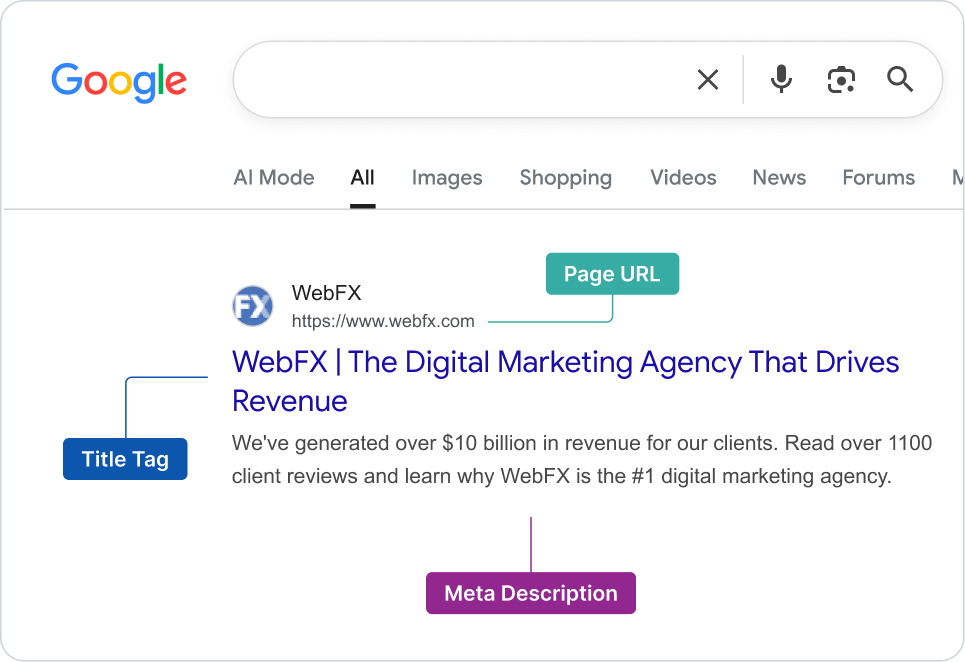
Page URL
Reinforces relevance and builds trust before users even click.
Title Tag
Entices users to click. It should clearly describe what your page is about.
Meta Description
Acts as a sales pitch. It gives users a preview of your page content.
If any of these elements are cut off due to length, users may not have enough context to click. Our Google Preview Tool helps you verify they all display correctly.
What our Google Preview Tool does for you
To reap the benefits of our free Google Preview Tool, you’ll simply input the URL of the site page you want to test, and click “Get data.” That’s it! You’ll immediately have access to what your page looks like in Google. Our tool provides info like:
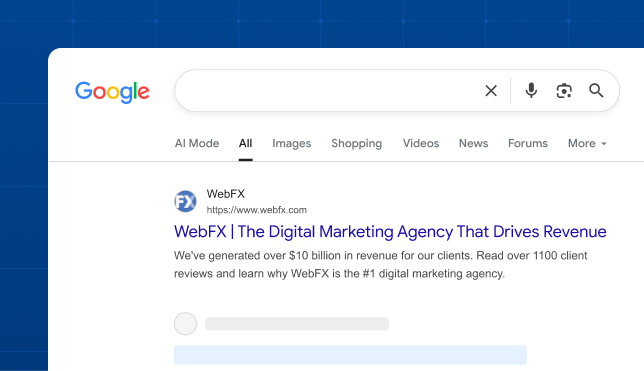
Instant Google preview
See exactly how your page appears in search results before it goes live.
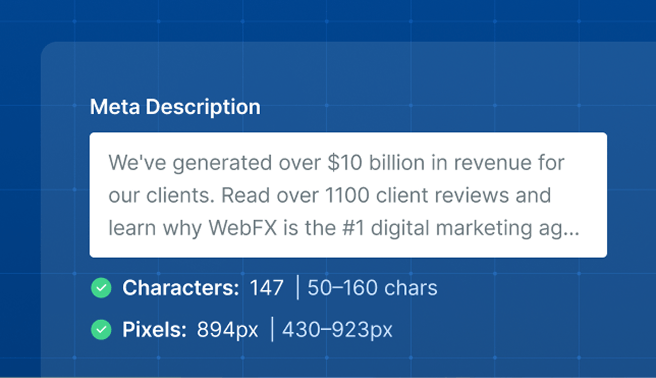
Character & pixel counts
Know at a glance whether your title tag and meta description are too short, too long, or just right.
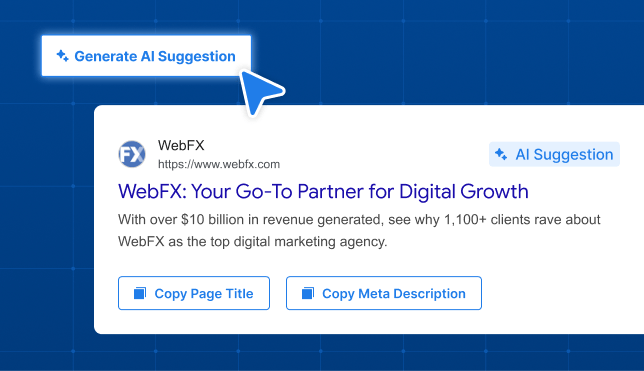
AI-powered suggestions
Get instant AI-generated title tag and meta description ideas tailored to your page so you can optimize faster.
With this information, you’ll be able to craft the perfect title and meta to ensure that your Google listing is perfect.
Frequently Asked Questions
How do AI Overviews use title tags and meta descriptions?
AI Overviews use title tags and meta descriptions when listing sources for a response. Similar to traditional search experiences, your title tag can influence whether users click-through or continue interacting with Google.
How do LLMs like ChatGPT use title tags and meta descriptions?
LLMs like ChatGPT use title tags and meta descriptions as a preview of your content, which can influence whether the LLM retrieves (or skips) your page.
How can I optimize my title tags for AI search?
Optimize title tags for AI search experiences by:
- Including a differentiator, like “500+ Reviews”
- Focusing on clarity, like “When to Plant Potatoes in PA”
- Limiting to 50-60 characters
- Ending with your brand name
How can I optimize my meta descriptions for AI search?
Optimize meta descriptions for AI search experiences by:
- Answering the user’s primary search intent
- Using direct language
- Including a unique selling point
- Limiting to 155-160 characters
How long should a title tag be?
A title tag should be 50-60 characters. While search engines measure title tags using pixels (vs. characters), characters provide an easier guideline to follow.
How long should a meta description be?
A meta description should be 150-155 characters. Like title tags, search engines measure meta descriptions based on pixel count rather than character count — characters, however, provide an easier form of measurement for content creators.
Why does Google rewrite title tags and meta descriptions?
Google rewrites title tags and meta descriptions to deliver a better user experience. A meta description, for example, is often rewritten to answer the user’s query, while title tags are rewritten to eliminate keyword stuffing.
How can I prevent Google from rewriting my title tags and meta descriptions?
You cannot prevent Google from rewriting title tags or meta descriptions. However, you can make it less likely by following these best practices for title tags and meta descriptions:
- DO limit title tags to 60 characters
- DO limit meta descriptions to 155 characters
- DO prioritize readability in your title tag and meta description
- DO use meta descriptions to answer the user’s intent (i.e. “When do U.S. passports expire? U.S. passports expire…”)
- DO format title tags according to the user’s intent (i.e. Use a listicle format for users researching places to visit in a specific state)
- DO use title tags to emphasize your URL’s unique edge (i.e. “The Top 10 Places to Visit in Massachusetts Based on 100 TripAdvisor Reviews”)
Should my title tag and H1 heading be the same?
Your title tag and H1 heading do not have to be the same (it’s also okay if they are). In some instances, content creators will experiment with a different title tag and H1 heading to see which one Google uses in search results. This experimentation can help creators write a more compelling title tag that Google displays in the search results.
Does it matter if my title tag uses sentence case vs. title case?
While there is no “penalty” for using title case vs. sentence case for title tags, using title case is often easier for the user to read. That’s why it’s recommended to use title case for title tags.