


Contents
- Google Search Console’s new AI performance report shows your impressions
- The data you’ll see in the AI performance report
- Why the new report is worth your attention
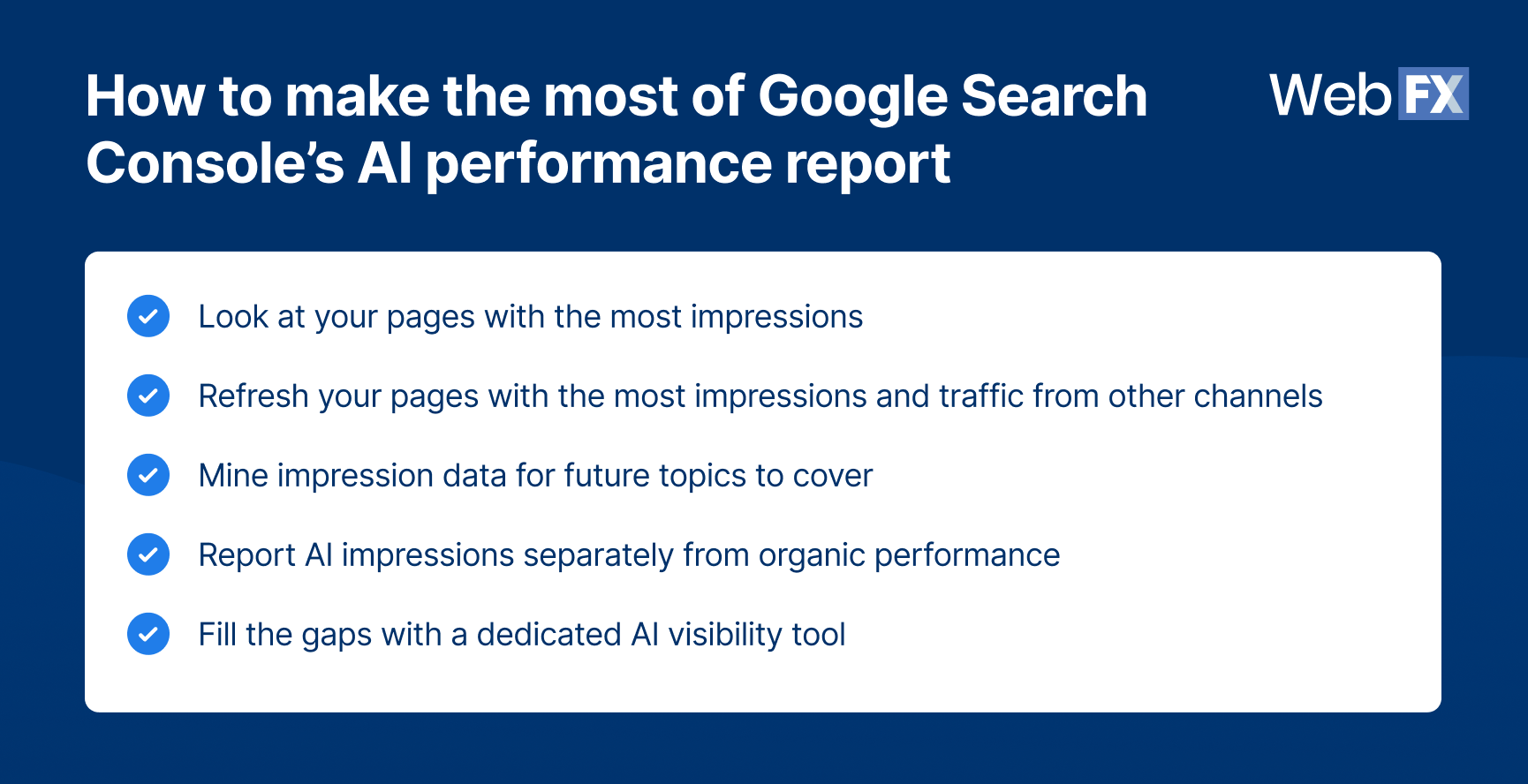
- How to make the most of Google Search Console’s new AI performance report
- 1. Look at your pages with the most impressions
- 2. Refresh your pages with the most impressions and traffic from other channels
- 3. Mine impression data for future topics to cover
- 4. Report AI impressions separately from organic performance
- 5. Fill the gaps with a dedicated AI visibility tool
- Google’s new AI search opt-out control lets you exclude your site from AI Overviews and AI Mode
- The benefits and drawbacks of opting out
- FAQ
- Make the most out of your Google Search Console AI performance report

Key takeaways
- Google’s new AI performance report in Search Console shows how often your pages appear in AI Overviews, AI Mode, and AI-powered Discover, but it only shows impressions.
- Use the new report to find your top-impression pages worth refreshing, and report AI impressions separately from organic performance so one doesn’t mask changes in the other.
- Google’s new opt-out control lets you exclude your site from AI search features without affecting your standard search rankings.
- For most businesses, the safer default is not opting out.
Google recently gave marketers and publishers two things they’ve been asking for: generative AI performance reports in Google Search Console and a new setting that lets them opt out of AI Overviews, AI Mode, and AI-driven Discover without losing traditional search visibility.
The new generative AI performance report only shows impressions, though. Meanwhile, the new opt-out toggle lets you pull your site out of AI search entirely, but for most brands, opting out means losing valuable visibility in AI Overviews and AI Mode.
For marketers like you, this means you can:
- Track your AI impressions trend over time, and pair that data with an AI visibility tool’s sentiment, competitive, and citation details. Equipped with data about how AI platforms understand and cite your brands, you know which pages to refresh first with clearer next steps, such as another resource to read or an inquiry form.
- Decide to opt out of AI Overviews and AI Mode. However, doing so can shrink your visibility in these search features, which more online buyers are using, so we recommend against it for most businesses.
Google Search Console’s new AI performance report shows your impressions
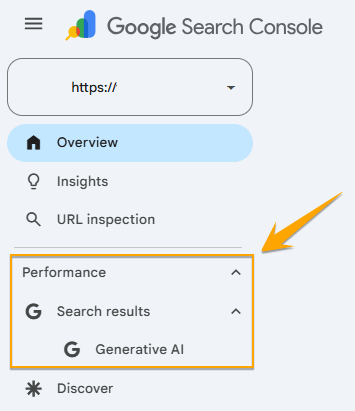
Search Console’s new generative AI performance report gives you a dedicated view of how often your pages show up in AI Overviews, AI Mode, and AI-powered Discover. You’ll find it under Performance in your sidebar, listed separately from your standard Search results report.
The data you’ll see in the AI performance report
As of this writing, the new AI performance report only shows impressions with the following data:
- Impressions: How often URLs from your site appeared in AI Mode or AI Overviews on Search and AI-powered Discover
- Pages: The specific URLs that showed up in the AI search features
- Countries: Which countries the impressions originated from
- Devices: The devices (whether desktop, tablet, or mobile) people used when they saw your website on an AI search feature. This is available for Search results, but not for Discover.
- Dates: It lets you group your data by day, week, or month.
You’ll probably notice that it doesn’t provide you click or click-through rate data. You also won’t find intel about which prompts triggered your brand’s appearance in the searches, so what you’ll see in these reports are:
- How your organic impressions from AI search features change over time
- Which pages are getting the most (and least) impressions in AI-powered search features
- Where your generative AI impressions are coming from (by country and by device)
The report shows limited data, but Google’s announcement noted that it may add more metrics over time based on feedback from website owners.
Why the new report is worth your attention
Generative AI traffic is quickly becoming a channel worth tracking on its own. According to our own analysis of 2.3 billion site sessions, generative AI traffic grew 796% over the past two years, and visitors from AI platforms convert about 1.2x higher than visitors from organic search.
That’s the reason this new report matters. It’s finally giving you visibility into a channel that already converts well.
For example, a visitor who lands on your site through an AI Overview or AI Mode response has often already compared options elsewhere before clicking through. They’re further along in their research than the average organic visitor, and that’s worth factoring into how you think about the pages showing up in this report.
Whether you’re deciding on the opt-out control or just want to get more value from Search Console’s new report, the underlying question is the same: How much of that ready-to-buy traffic do you want visibility into? Best practice is to treat this data as a starting point for that decision.
How to make the most of Google Search Console’s new AI performance report
While Search Console’s report is limited, you can still put its numbers to work. We suggest pairing the data from Search Console with a dedicated AI visibility tool’s insights before strategizing your next steps. Here’s how to make the most of this new report:
1. Look at your pages with the most impressions
Pull 60 days or more of site data in Google Search Console. In the Pages tab, you’ll see the URLs with the most impressions on AI search features for the particular period.
If these pages also have strong visitor numbers from your other traffic sources, prioritize them for a refresh. Why? These pages are already gaining visibility and clicks through other channels, so your prospects are landing on them. This brings us to the next tip.
2. Refresh your pages with the most impressions and traffic from other channels
You’ve identified your top-performing pages in terms of impressions from AI-powered search features on Google and verified that these same pages get a sizable number of visitors from other channels, like organic.
The next step is to optimize them for conversion, so your prospects can easily take the next step. When you optimize these pages, keep your site visitors in mind by asking these questions:
- What follow-up questions could they possibly have after landing on this particular page?
- What problem can you solve for them next?
- What could their next step be?
Don’t just bulk-optimize the pages by adding the same CTA or leading them to sign up for your newsletter. Make sure the next step is helpful for them, which could be a:
- Free tool they can use on your website
- Gated checklist or template
- Newsletter sign-up for future updates
- Inquiry form, so they can speak with your team
3. Mine impression data for future topics to cover
The pages and topics that keep surfacing in generative AI features tell you what your audience is asking about online. Feed that into your content calendar and campaign planning the same way you’d use a keyword report.
For example, let’s say you’re marketing a SaaS for multi-location hospitals and you noticed that your pages with the highest impressions are about multi-site scheduling. This topic may be a pain point that your client is trying to solve.
You can publish helpful blog posts about booking cross-location appointments or revise your service page. Consider A/B testing your ads’ messaging surrounding multi-site scheduling, too.
4. Report AI impressions separately from organic performance
When reporting your results, don’t lump your AI and organic impressions together so you can easily spot trends and better analyze your data.
Let’s say your organic visits dropped 10% month over month (MoM), but your AI impressions increased during the same period. If you’re looking at combined impression data, you’d only see stable impressions and a decrease in organic visits MoM.
When your AI and organic impression data are reported separately, you can spot the MoM increase in AI impressions. You can observe trends over time, helping you strategize your next steps.
5. Fill the gaps with a dedicated AI visibility tool
Search Console’s new report tells you that you appeared in an AI Overview, but it can’t tell you a lot of other things:
- Did a large language model describe your brand accurately?
- How did you stack up against your competitors in the same AI answers?
- Which prompts triggered your appearance in the AI-powered search features?
To answer those questions, use an AI-visibility platform like OmniSEO® and track these four metrics:
- Visibility score: This is your AI-search equivalent of impressions, a real-time read on how often you’re showing up, but across ChatGPT, Perplexity, and other AI platforms that Search Console can’t see. Watch this the same way you’d watch your impressions trend from Search Console over time.
- Brand sentiment score: This metric tells you whether AI tools describe your brand in a positive or negative light across queries. If sentiment turns negative around a particular topic, review your related content to the answer. You may need to refresh those pages or create new ones if other websites or external reviews are negatively influencing your brand sentiment.
- Competitive share. Track how your visibility compares to competitors’ in the same AI answers. If you see a gap between your competitor and your brand for queries highly relevant to your business, those are topics or queries to target next.
- Citation source. Find out which of your pages actually get cited when an LLM answers a related question. Analyze your pages that earn frequent citations to find out what works and then apply whatever’s working there to your other pages.
OmniSEO® also serves up prioritized recommendations, so you’re not left guessing what to do with the data once you have it.
Future-Proof Your SEO Strategy with OmniSEO®
Goodbye search engine optimization, hello search everywhere optimization.

Google’s new AI search opt-out control lets you exclude your site from AI Overviews and AI Mode
Google’s new opt-out control is also inside Search Console, and it works exactly the way it sounds. Flip the toggle, and your site stops appearing in AI Overviews, AI Mode, and AI-powered Discover.
This setting won’t touch your standard search rankings. It only affects your visibility inside generative AI search features, so your position in traditional blue-link results.
This is also the same control that determines whether you show up in the AI performance report we covered. If you’ve already excluded your site from generative AI features, you won’t see much in that report either, since there’s nothing to count for a site that isn’t appearing.
The benefits and drawbacks of opting out
Before you decide, make sure you understand what you’re actually trading. Opting out has a real upside for some businesses, and a real cost for most.
Consider opting out if your website depends heavily on pageviews for ads
Ad-supported publishers may consider opting out because their revenue model runs on pageviews. When an AI Overview fully answers a searcher’s question, they need the click rather than the brand exposure from the AI search features.
For most businesses, opting out is out of the picture
For most B2B businesses and SMBs, appearing in an AI Overview means putting their brands in front of prospects who are forming opinions about whom to trust. Opting out removes that exposure when more buyers search via AI and gives it to competitors who are visible in AI search features.
The safer default is not opting out for most mid-market marketers and business owners.
FAQ
Does opting out of AI Overviews affect my regular Google rankings?
No. Google has confirmed the opt-out control isn’t used as a ranking signal outside of generative AI search features. Your standard search rankings stay intact whether you opt in or out.
Can I opt out of AI Mode without opting out of AI Overviews?
The control is a single toggle covering AI Overviews, AI Mode, and AI-powered Discover. Google hasn’t introduced separate controls for each feature.
Why don’t I see the new generative AI performance report in my Google Search Console yet?
If you’re not seeing the new AI performance report in Search Console yet, it’s likely because it’s still rolling out. You also won’t see this feature if your site hasn’t received enough impressions yet or you opted out of AI search features.
Does the generative AI performance report show clicks or only impressions?
It only shows impressions for now. Google plans to add more metrics over time, but hasn’t committed to a timeline for other data.
How is an AI impression counted in Search Console?
An impression counts each time a link to your site appears in an AI Overview, AI Mode response, or AI-powered Discover feature. Discover impressions require the card to scroll into view, and only one impression counts per result per session.
One important distinction is that your page-level totals won’t always match the total in your property-level chart. If an AI answer links to two URLs from your site, that counts as one impression at the property level but two impressions at the page level. Make sure you keep this in mind when comparing the two views, so you don’t mistake a normal counting difference for missing data.
Learn how we increased a heavy equipment company’s AI Overview visibility by 136% and leads from AI sources by 500%.

Make the most out of your Google Search Console AI performance report
Google Search Console’s AI performance report finally gives marketers a way to track AI search impressions instead of guessing them, and that’s a real step forward for marketers. While this new report shows how often you showed up, it doesn’t tell you whether that AI Overview tracking number is building trust with your prospects or driving qualified leads.
With OmniSEO®, you get to see the full picture of your brand’s AI visibility. If you need further help with optimizing your website for AI visibility, consider partnering with WebFX.
We’ve helped our clients earn 303,346 mentions in and generate 12,335 leads from AI sources. Contact us online or call us at 888-601-5359 to speak to a strategist about our AI SEO services!
-
 Maria is a Lead Content Specialist at WebFX. With nearly two decades of experience in B2B and B2C publishing, marketing, and PR, she has authored hundreds of articles on digital marketing, AI, and SEO to help SMB marketers make informed strategic decisions. Maria has a degree in B.S. Development Communication major in Science Communication, and certifications in inbound marketing, content marketing, Google Analytics, and PR. When she’s not writing, you’ll find her playing with her dogs, running, swimming, or trying to love burpee broad jumps. View full profile
 -

WebFX is a full-service digital marketing agency delivering revenue-driving strategies across online advertising, SEO and AI search optimization, and digital marketing. Backed by 1,100+ client reviews, a 4.9-star rating on Clutch, and proprietary revenue-tracking technology, our team helps businesses grow visibility and revenue across platforms, from Google to ChatGPT to LinkedIn. Discover how our expert team and revenue-accelerating tech can drive results for you. Learn more

Try our free Marketing Calculator
Craft a tailored online marketing strategy! Utilize our free Internet marketing calculator for a custom plan based on your location, reach, timeframe, and budget.
Contents
- Google Search Console’s new AI performance report shows your impressions
- The data you’ll see in the AI performance report
- Why the new report is worth your attention
- How to make the most of Google Search Console’s new AI performance report
- 1. Look at your pages with the most impressions
- 2. Refresh your pages with the most impressions and traffic from other channels
- 3. Mine impression data for future topics to cover
- 4. Report AI impressions separately from organic performance
- 5. Fill the gaps with a dedicated AI visibility tool
- Google’s new AI search opt-out control lets you exclude your site from AI Overviews and AI Mode
- The benefits and drawbacks of opting out
- FAQ
- Make the most out of your Google Search Console AI performance report
Share this article


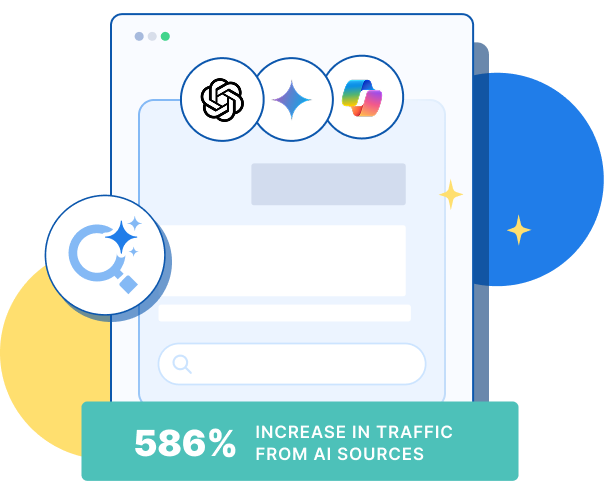
See AI Marketing in Action
Explore how WebFX helped a regional brand get discovered in AI search experiences — proving what’s possible with today’s AI-driven marketing!
Try our free Marketing Calculator
Craft a tailored online marketing strategy! Utilize our free Internet marketing calculator for a custom plan based on your location, reach, timeframe, and budget.