

Contents
- Is Google Bringing Ads to AI Mode with Personal Intelligence?
- Google’s Search Help update clarifies Gmail and Photos privacy
- Why advertisers should care: Get your PPC strategy ready in case of a full rollout
- What marketers should do (and not do) as Google tests ads in AI Mode with Personal Intelligence
- Step 1: Audit your Search Terms report for conversational, long-tail questions
- Step 2: Refresh your ad copy and landing pages to address your customers’ specific needs
- Step 3: Record baseline performance of conversational search terms
- FAQs about Google Ads in AI Mode with Personal Intelligence
- Get your Google Ads ready for personal context in AI Mode
- Are ads in AI Mode new?
- Can advertisers target users who connect their apps to AI Mode?
- Does Google use a user’s Gmail inbox to show ads in AI Mode?
- Can users turn off ads personalized by their connected apps?
- Should I change my Google Ads budget because of this test?

TL;DR: Google Ads in AI Mode with Personal Intelligence
- What is it? Google is testing ads in AI Mode for users who connect apps like Gmail, Google Calendar, and Google Photos through Personal Intelligence. Ads may draw on inferences from those apps, but Google says they won’t be based directly on a user’s inbox or photo library.
- Why should marketers care? Your ads may start reaching users based on the situation behind their search, and not only the keywords. Google hasn’t added any new settings for advertisers to manage this.
- What should marketers do? Hold off on budget changes while this is still a test. In the meantime, find conversational queries in your Search Terms report, update your ad copy and landing pages to match them, and record baseline performance now.
Google has started testing Google Ads in AI Mode with Personal Intelligence, the opt-in feature that connects apps like Gmail and Google Photos to Search.
While ads in AI Mode aren’t new, Google hadn’t shown them to users with connected apps until this test. For marketers, this update is important because Google may now match ads to a user’s personal context and search query in AI Mode.
You don’t need drastic changes while this is still a test. What’s worth your effort now is to prepare your ads for personal context in ad matching with three steps:
- Audit your Search Terms report for conversational, long-tail questions
- Refresh your ad copy and landing pages to address your customers’ specific needs based on the conversational questions you find
- Record baseline performance of conversational terms, including clicks, click-through rates (CTR), and conversion rates
Let’s answer your burning questions in detail in these sections:
- Is Google bringing ads to AI Mode with Personal Intelligence?
- Why should advertisers care?
- What should marketers do (and not do)?
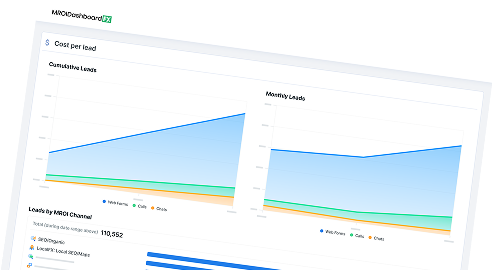
Meet RevenueCloudFX:
One platform tracking countless metrics and driving stellar results.
Is Google Bringing Ads to AI Mode with Personal Intelligence?
Yes, as a test. Google already shows ads in AI Mode, and it’s now testing them for users who connect their apps through Personal Intelligence. Personal Intelligence is an opt-in feature in Google’s AI search experience that allows the system to reference information from a user’s personal Google apps, such as Gmail, Google Calendar, and Google Photos.
While the company hasn’t announced a full-scale rollout, this test reverses Google’s earlier decision to keep Personal Intelligence completely ad-free. In this experiment, Google is serving ads relevant to the following:
- User’s query
- Context of the response
- User’s interests based on context from their connected apps
Google’s Search Help update clarifies Gmail and Photos privacy
Google also updated its Search Help documentation to clarify that ads will not be based directly on a user’s Gmail inbox or Google Photos library. Instead, Search may use “summaries, excerpts, and inferences from these sources” to personalize a user’s experience, and that same information may be used to show them ads.
The documentation further stated that ads in AI Mode with Personal Intelligence won’t be based on sensitive categories, such as:
- Race
- Religion
- Sexual orientation
- Health
Google says advertisers won’t have access to users’ connected apps, so you can’t view or pull data from a user’s Gmail inbox or Photos library. Users also choose whether to connect their apps and can disconnect them at any time.
Why advertisers should care: Get your PPC strategy ready in case of a full rollout
Google is still testing this feature and may or may not roll it out more widely. However, this update shows that Google’s approach to matching ads to users is evolving. Ads are moving beyond keyword-based targeting toward conversational queries and beyond search history toward context from connected Google apps.
If this test expands, it could influence how your ad budget gets spent. Google hasn’t introduced a separate campaign type for AI Mode or an opt-out toggle in your Google Ads account. If you run Performance Max, Shopping, or Search campaigns with broad match or AI Max, your ads are already eligible to show in AI Mode. Exact and phrase match keywords only qualify when a query shows direct commercial intent, such as “AC repair service,” not for broader conversational questions.
In conversational search, where users are looking for specific solutions, ad copy that relies on generic keywords may fail to capture your prospects’ attention. Or worse, automated bidding may waste spend on casual searchers who are just looking for free advice and are not ready to purchase.
You don’t need to overhaul your paid strategy overnight. You just need to take a few proactive steps to be ready for any future changes.
What marketers should do (and not do) as Google tests ads in AI Mode with Personal Intelligence
You don’t need a brand-new Google Ads playbook yet. For now, getting ready involves:
Let’s go through each one:
Step 1: Audit your Search Terms report for conversational, long-tail questions
Google Ads doesn’t have segmented reporting for impressions and clicks from AI Overviews and AI Mode. For now, your best proxy is your Search Terms report.
In the Search Terms report, you’ll find the actual queries that triggered your ads. It won’t confirm which queries came from AI Mode, but an increase in long, question-style queries is a signal. Look for the following:
- Queries five or more words: Queries in AI Mode are three times longer than traditional searches. So look for natural, conversational questions like “How often should HVAC systems be serviced?” instead of “HVAC maintenance.”
- Advice-seeking queries: Find out the questions searchers are asking related to your business or products. They often start with “How do I…,” “What’s the best way to…,” or “What are your recommended…”
- Informational and DIY intent: Identify non-commercial searches like “how to DIY HVAC maintenance” or “AC cleaning tutorial,” which searchers use to seek free advice rather than get professional help.
Searches with informational intent have a 39.4% chance of triggering an AI Overview, so monitor these queries.
Once you see DIY or no-purchase-intent queries burning your ad budget, add recurring terms like “tutorial,” “free,” or “DIY” to your negative keyword lists to prevent automated bidding from spending on casual research. Doing so keeps your budget focused on searches with commercial intent.
Assess advice-seeking queries by their conversions. For example, an HVAC company would block “how to DIY HVAC maintenance” but keep “How often should HVAC systems be serviced?” if that query brings in service calls.
What marketers should not do: Don’t leave broad match and Smart Bidding unmonitored. When left unchecked, they can drain your budget answering informational questions with no purchase intent.
Step 2: Refresh your ad copy and landing pages to address your customers’ specific needs
Once you know the conversational queries triggering your ads, use those insights to update your ad creative and landing pages. That’s because when users are in AI Mode, they are describing a specific problem and looking for a business that solves it, not scanning for a specific keyword.
To earn a click, align your positioning with what users are looking for. Once they reach your landing pages, your messaging must convince them that they’ve found the right business to help them.
What marketers shouldn’t do: Don’t stuff keywords unnaturally in your landing page or make the copy overly personal. Overly familiar phrasing can feel intrusive, and rigid keyword-stuffed headlines look out of place next to a natural AI answer.
Step 3: Record baseline performance of conversational search terms
You need a starting point before you can measure the impact of ads in AI Mode with Personal Intelligence. Track these metrics for the conversational search terms that drive clicks:
- Share of spend on queries with five or more words: This tells you whether more of your budget is moving toward conversational phrases.
- CTR: It measures whether your ad copy is compelling enough to earn clicks.
- Conversion rate: This metric tells you if visitors landing from complex, situational questions take action on your landing pages.
- Cost per acquisition (CPA): It tells you whether you’re paying more per customer as Google matches your ads to broader conversational intent.
- Negative keyword volume: It tracks how often you have to block DIY and no-purchase-intent queries from wasting budget.
Together, these metrics show whether conversational traffic is growing your bottom line or increasing your costs.
What marketers shouldn’t do: Don’t drastically change your bid strategies or account structure based on a few days of data. Track these metrics over several weeks to spot trends before adjusting your strategy.
FAQs about Google Ads in AI Mode with Personal Intelligence
Are ads in AI Mode new?
Ads in AI Mode aren’t new. What’s new is Google’s testing of ads for users who connect their apps through Personal Intelligence. In March 2026, Google said these users wouldn’t see ads, so this test marks a change in its approach.
Can advertisers target users who connect their apps to AI Mode?
No. Google hasn’t announced any new targeting options for this test, and advertisers don’t get access to users’ connected apps. Google decides which ads to show based on the user’s query, the context of the AI Mode response, and the user’s interests.
Does Google use a user’s Gmail inbox to show ads in AI Mode?
Not directly. According to Google’s documentation, ads won’t be based directly on a user’s Gmail inbox or Google Photos library.
However, if a user connects those apps through Personal Intelligence, AI Mode may use summaries and inferences from them to personalize a user’s experience. That same information may help determine which ads they see.
Google’s Search documentation says it doesn’t show personalized ads based on sensitive categories, such as health or religion.
Can users turn off ads personalized by their connected apps?
Users can choose to connect apps like Gmail, Google Calendar, and Google Photos to Search, and disconnect them at any time. Disconnecting stops AI Mode from drawing on those apps, though users may still see standard ads in AI Mode.
Should I change my Google Ads budget because of this test?
Not yet. Google hasn’t announced a full rollout, so shifting budget now means reacting to a test you can’t measure in isolation. Instead, audit your Search Terms report for conversational queries, refresh your ad copy and landing pages to match them, and record baseline performance. For example, if you know your current CTR and CPA for long-tail questions, you’ll be able to spot whether any future change comes from AI Mode or from something else.
Learn how we increased paid search quote request conversions YoY by 126% for a manufacturing client.

Get your Google Ads ready for personal context in AI Mode
Google’s test is still early, but it shows where ad matching is heading: beyond keyword-based targeting toward conversational queries and beyond search history toward context from connected Google apps.
Google hasn’t given advertisers new controls for this. The good news is that advertisers can start monitoring their ads’ baseline performance in conversational search terms.
If you want PPC experts to help you with your paid ad strategy moving forward, you can partner with WebFX. Our team of PPC specialists can help you build campaigns that drive revenue.
RevenueCloudFX, our proprietary platform, can connect clicks to leads and sales, so you can see whether conversational traffic is driving bottom-line growth.
Contact us online or call us at 888-601-5359 to speak to a strategist about our Google Ads management services!
-
 Maria is a Lead Content Specialist at WebFX. With nearly two decades of experience in B2B and B2C publishing, marketing, and PR, she has authored hundreds of articles on digital marketing, AI, and SEO to help SMB marketers make informed strategic decisions. Maria has a degree in B.S. Development Communication major in Science Communication, and certifications in inbound marketing, content marketing, Google Analytics, and PR. When she’s not writing, you’ll find her playing with her dogs, running, swimming, or trying to love burpee broad jumps. View full profile
 -

WebFX is a full-service digital marketing agency delivering revenue-driving strategies across online advertising, SEO and AI search optimization, and digital marketing. Backed by 1,100+ client reviews, a 4.9-star rating on Clutch, and proprietary revenue-tracking technology, our team helps businesses grow visibility and revenue across platforms, from Google to ChatGPT to LinkedIn. Discover how our expert team and revenue-accelerating tech can drive results for you. Learn more
Cost Per Click (CPC) Calculator
Do you advertise on platforms that charge per click? Use our calculator and figure out exactly how many clicks will fit within your budget.
Calculate Your CPC
Contents
- Is Google Bringing Ads to AI Mode with Personal Intelligence?
- Google’s Search Help update clarifies Gmail and Photos privacy
- Why advertisers should care: Get your PPC strategy ready in case of a full rollout
- What marketers should do (and not do) as Google tests ads in AI Mode with Personal Intelligence
- Step 1: Audit your Search Terms report for conversational, long-tail questions
- Step 2: Refresh your ad copy and landing pages to address your customers’ specific needs
- Step 3: Record baseline performance of conversational search terms
- FAQs about Google Ads in AI Mode with Personal Intelligence
- Get your Google Ads ready for personal context in AI Mode
- Are ads in AI Mode new?
- Can advertisers target users who connect their apps to AI Mode?
- Does Google use a user’s Gmail inbox to show ads in AI Mode?
- Can users turn off ads personalized by their connected apps?
- Should I change my Google Ads budget because of this test?
Share this article


Cost Per Click (CPC) Calculator
Do you advertise on platforms that charge per click? Use our calculator and figure out exactly how many clicks will fit within your budget.
Calculate Your CPC