Brandon Mills is a data-driven marketing consultant at WebFX who helps roofing and home service businesses build predictable lead flow and scale revenue through SEO, PPC, and local marketing. A former roofing company owner, he understands the real challenges contractors face—from inconsistent leads to wasted marketing spend—and uses that experience to create marketing systems that don’t just drive traffic, but consistently produce booked jobs and measurable growth.
How does Google LSA’s competitive quote feature change lead costs? Four businesses get charged for the same lead simultaneously, but only one wins the job, meaning the other three paid for a lead that converted for a competitor, which inflates the true cost per booked job for home services businesses.
Why is enabling message leads critical for LSA visibility? The competitive quote feature only applies to message leads, so businesses with messaging turned off don’t appear in the competitive quote selection pool at all, making them invisible to consumers using the “Get competitive quotes” button.
What response time does Google expect from selected businesses? Google tells consumers that selected businesses “typically reply in 15 minutes,” setting the expectation that businesses must respond within this timeframe or risk losing the lead before typing a word.
How does Google select which four businesses appear in competitive quotes? Google evaluates performance metrics including response rate, response time, review count and quality, booking rates, dispute history, and whether messaging is enabled to determine which businesses make the top four selection.
What makes competitive quote leads different from traditional LSA leads? Traditional LSA leads work one-to-one where only you receive and pay for the inquiry, while competitive quotes send the same lead to four businesses simultaneously with each one paying for it, making every competitive quote a shared lead by default.
Your Google Local Services Ads (LSA) leads now go to your competitors automatically. Google LSA’s competitive quote feature lets consumers request estimates from up to four providers at once through a single message. One tap, and your next potential customers become LSA shared leads split between you and three other businesses.
That changes the economics of every home services lead you pay for. If your team responds slowly or sends a generic reply, a faster competitor books the job you funded.
Getting ahead of this change starts with understanding how Google LSA’s competitive quotes impact home services businesses, what you can do right now to win more of these shared leads, and how this feature works behind the scenes.
Four businesses get charged for the same lead, while only one wins the job. The other three paid for a lead that converted for a competitor.
For home services businesses running tight margins on HVAC, plumbing, or roofing leads, that math hits hard. LSA shared leads that cost the same as standard leads but convert at a lower rate inflate your true cost per booked job.
2. Lead exclusivity disappears
The consumer already has four options lined up before anyone picks up the phone or replies to the message. Showing up in the listing no longer gives you the inside track. Speed and message quality now carry more weight than placement alone.
3. Profile performance decides who gets selected
Google chooses which four businesses appear in the competitive quote selection. That decision depends on measurable performance signals. Response time, review count and quality, booking rates, and dispute history all play a vital role.
Businesses with weak signals do not make the cut, regardless of how much they spend on LSAs. If your follow-up process stays manual or inconsistent, revenue leaks fast.
Expert insights from
Brandon C.VP of Outbound Sales at WebFX
“If you’re not in that top four, you’re effectively invisible in that interaction. In urgent, need-based categories like plumbing and HVAC, missing those quote requests means competitors are getting first contact, first appointments, and often the job, before you ever know the homeowner was searching.”
5 ways to book more jobs from Google LSA’s competitive quotes
You can’t control how Google decides which businesses appear in every competitive quote, but you can definitely influence that decision. Here are five things home services businesses can do right now to improve the odds of getting selected and converting the leads that come through:
1. Turn on message leads
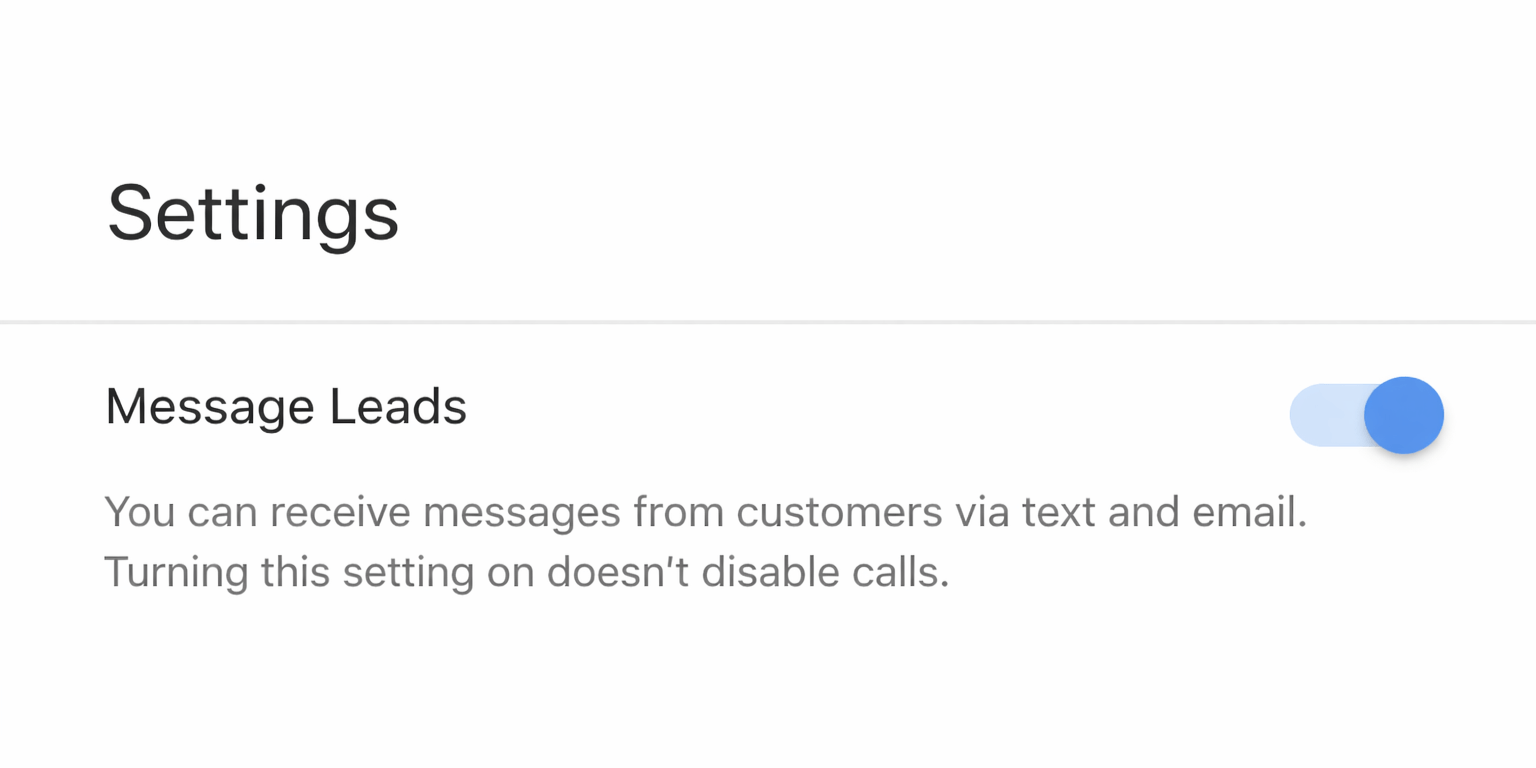
The competitive quote feature only applies to message leads. If messaging is turned off in your LSA settings, you do not appear in the competitive quote selection pool at all. That means you are invisible to every consumer who uses the “Get competitive quotes” button.
A screenshot of Google LSA settings page showing the Message Leads toggle switched on.
Turning on messaging also makes your business eligible for lower-cost message leads introduced under Google’s new value-based pricing model. Even outside of competitive quotes, enabling messaging expands your total lead volume.
2. Get your response time under 15 minutes
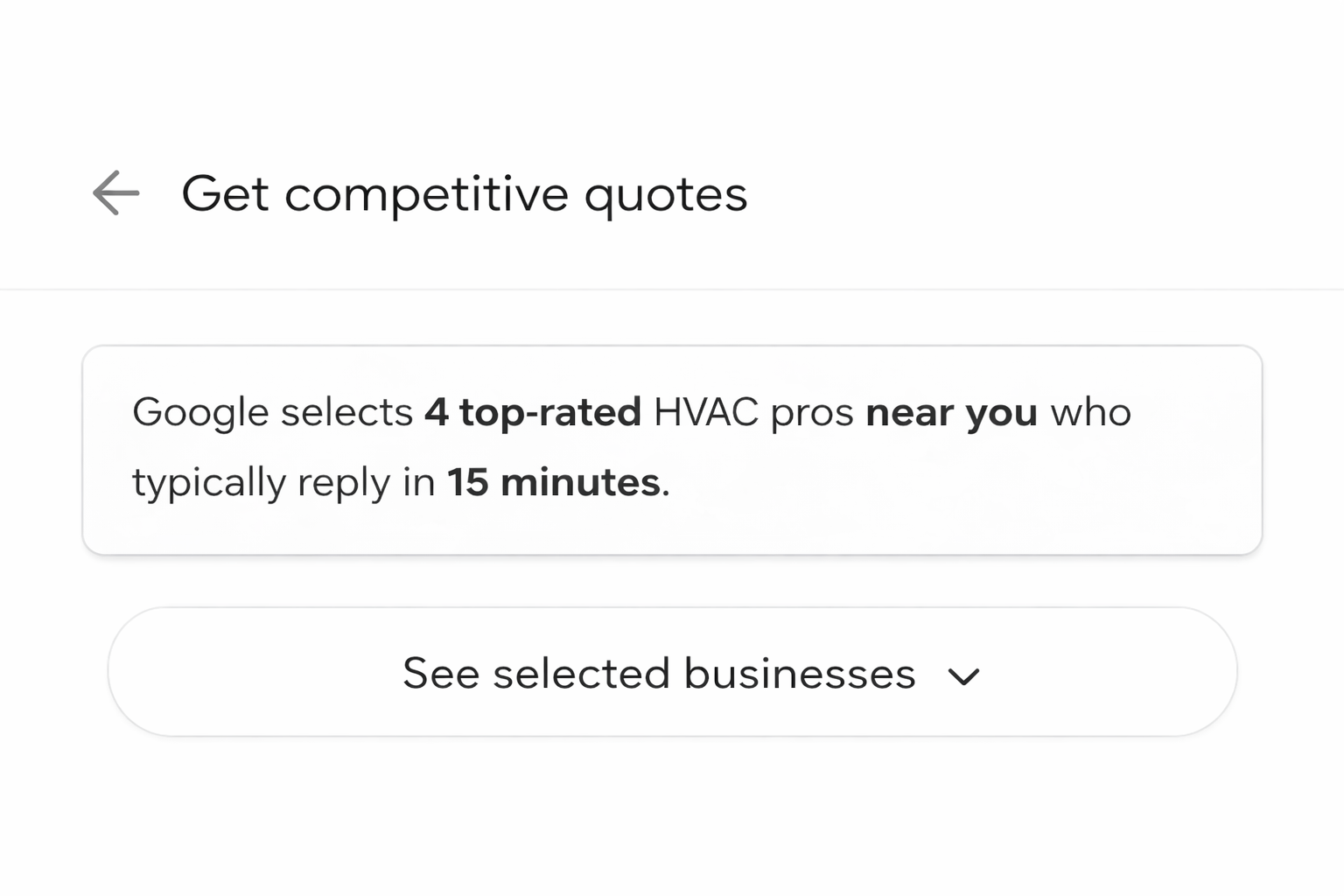
Google’s competitive quote screen tells consumers the selected businesses “typically reply in 15 minutes.” That sets the expectation. If your actual response time lags behind that number, you lose the lead before you type a word.
A screenshot of Google LSA’s competitive quote screen showing “Google selects 4 top-rated HVAC pros near you who typically reply in 15 minutes.”
The data backs this up. According to research by Verse.ai, 78% of customers buy from the business that responds first, and leads contacted within five minutes are 100 times more likely to qualify than those contacted after 30 minutes. Response time also displays publicly on your LSA listing, so consumers can see whether you are fast or slow before they ever reach out.
3. Treat every lead like an LSA shared lead
Consumers have always shopped around for home services. The competitive quote feature just formalizes the behavior and puts it inside Google’s interface. Assume that every lead you receive is also talking to other businesses, because with this feature, they probably are.
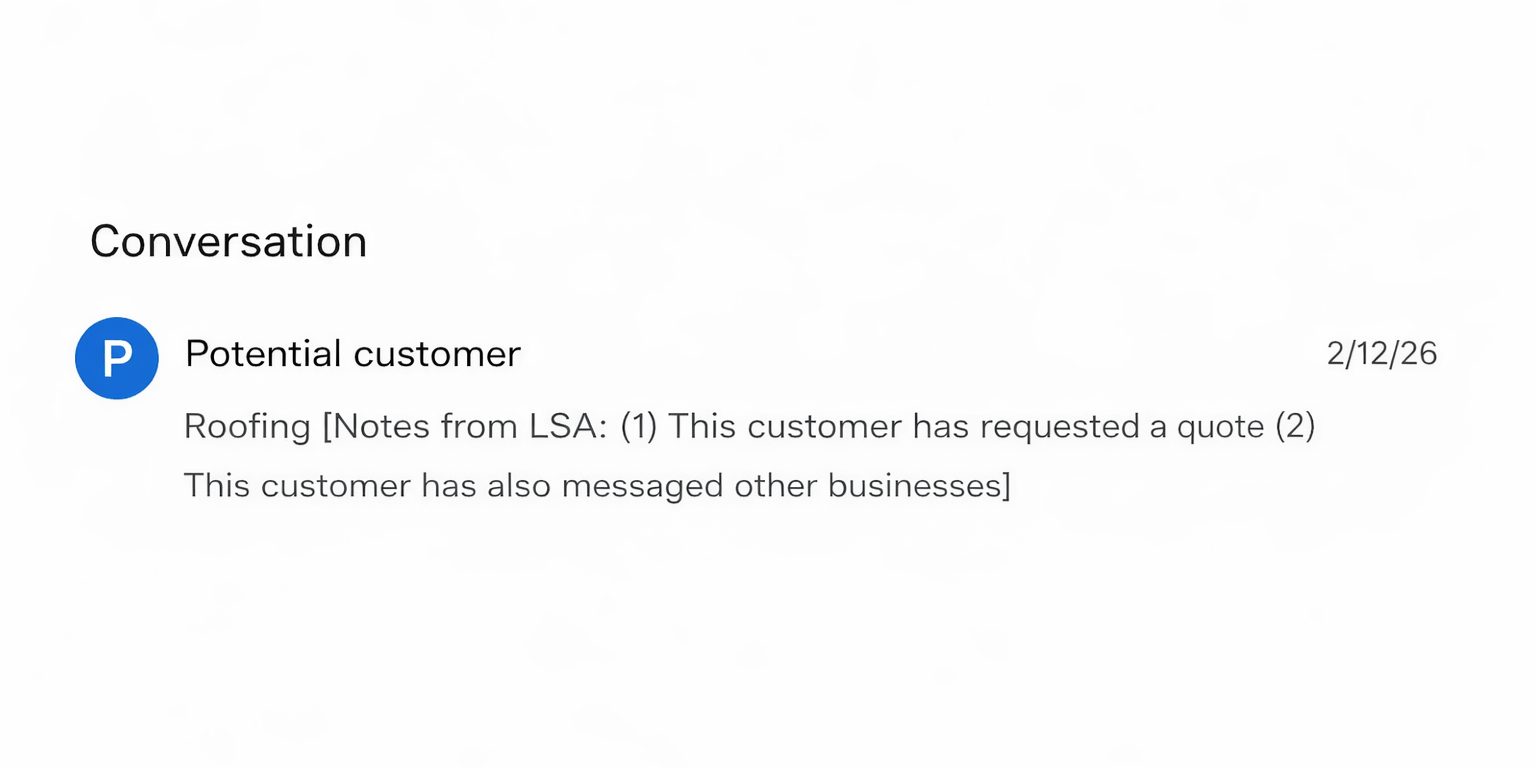
Google LSA lead details showing notes that read “This customer has requested a quote” and “This customer has also messaged other businesses.”
Check your lead details for the “Customer has also messaged other businesses” flag to confirm whether a specific lead came through competitive quotes. Then adjust your response accordingly by:
Acknowledging the specific service the consumer described
Including a clear next step, like scheduling an estimate
Giving a concrete reason to choose your business over the other three
Generic templates lose this race every time, especially with LSA shared leads.
4. Strengthen the profile signals Google uses
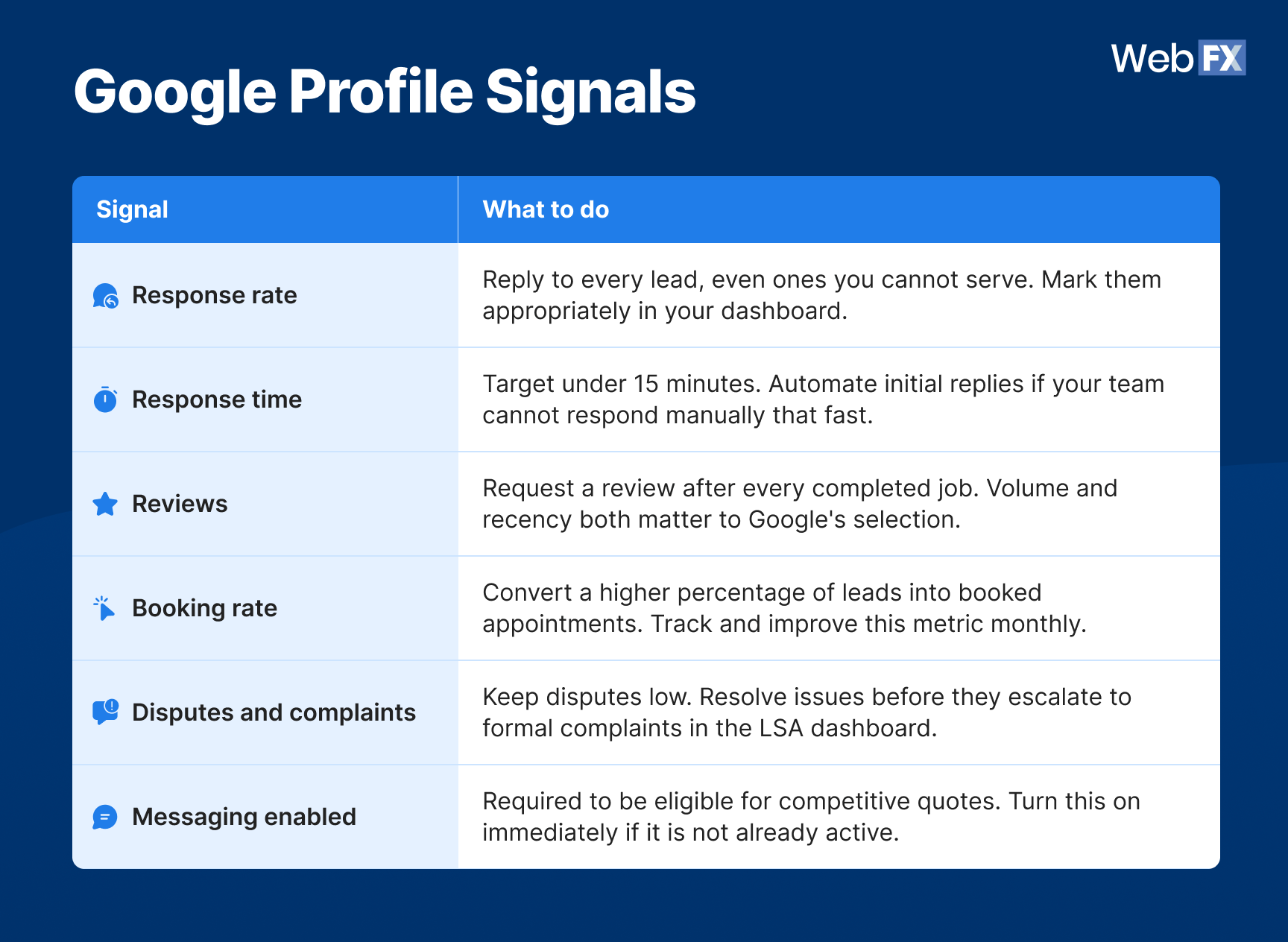
Google evaluates several performance metrics when selecting the four businesses that appear in competitive quotes. Strengthening these signals improves your chances of landing in the top four:
Reply to every lead, even ones you cannot serve. Mark them appropriately in your dashboard.
Response time
Target under 15 minutes. Automate initial replies if your team cannot respond manually that fast.
Reviews
Request a review after every completed job. Volume and recency both matter to Google’s selection.
Booking rate
Convert a higher percentage of leads into booked appointments. Track and improve this metric monthly.
Disputes and complaints
Keep disputes low. Resolve issues before they escalate to formal complaints in the LSA dashboard.
Messaging enabled
Required to be eligible for competitive quotes. Turn this on immediately if it is not already active.
5. Map communication across the full customer journey
Winning the initial competitive quote lead is step one. Booking, closing, and retaining that customer feeds the performance signals Google uses to keep selecting your business for future competitive quotes.
A strong home services communication flow covers every stage:
New lead outreach
Missed call follow-up
Estimate appointment confirmation
Post-estimate follow-up
Post-service feedback request
Review solicitation
Recurring service or membership messaging
Each touchpoint reinforces the responsiveness and customer experience metrics that determine your LSA visibility.
I talk to home services businesses every day that lose booked jobs because their follow-up drops off after the first reply. The initial response gets the conversation started, but the estimate confirmation, the follow-up after a quote, and the review request after the job closes are what keep the cycle spinning. The businesses closing the most competitive quote leads are the ones that treat communication as a system, not a one-time event.
How Google LSA’s competitive quote feature works
Google LSA’s competitive quote feature is a lead format inside Local Services Ads that allows consumers to request estimates from multiple top-rated businesses at once through a single message.
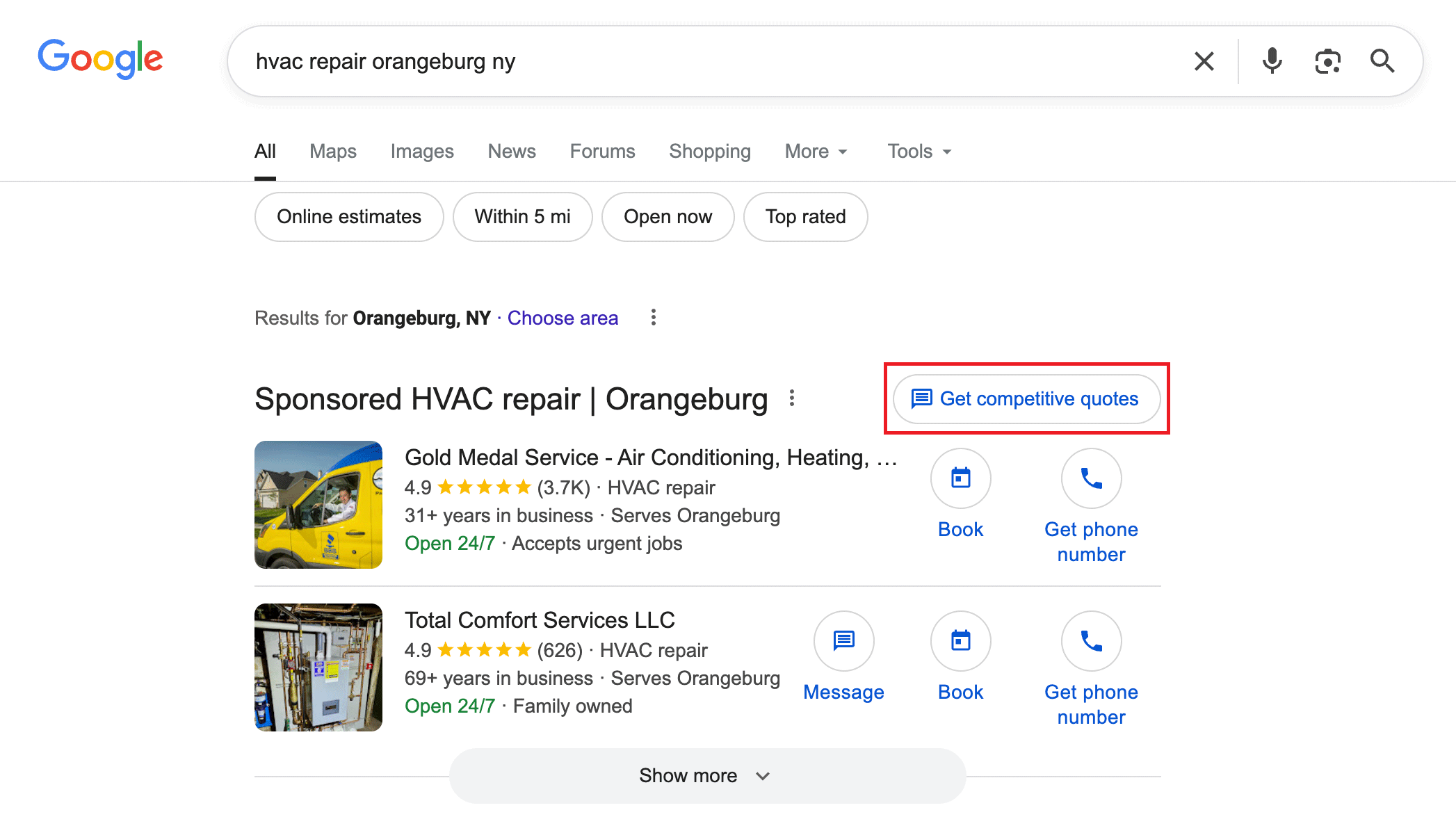
An example of Google LSA’s search results with the “Get competitive quotes” button highlighted in the top right corner of the sponsored results.
Here is how the flow works from the consumer side:
A homeowner searches for a service like “HVAC repair near me.”
Standard LSA listings appear with a new option at the top: “Get competitive quotes”
The consumer taps that button, and Google selects four top-rated pros in the area who “typically reply in 15 minutes.”
The consumer writes one message describing what they need, and hits send.
That message goes to all four businesses simultaneously.
This feature only applies to message leads. Businesses that have messaging turned off in their LSA settings do not appear in the selection pool at all.
Google has tested variations of this feature since October 2024. The search giant internally refers to the feature as “Message Fanout” and officially announced it alongside new value-based pricing for message leads in November 2025. The rollout continues to expand across industries and geographic areas heading into 2026.
Google LSA’s competitive quotes vs. traditional LSA leads
Traditional LSA leads work one-to-one. A consumer clicks on your listing, sends a message or calls, and that lead belongs to you. You pay for it, and no one else receives the same inquiry at the same time.
Google LSA’s competitive quotes flip that model. The same lead goes to four businesses simultaneously, and each one pays for it. That makes every competitive quote an LSA shared lead by default.
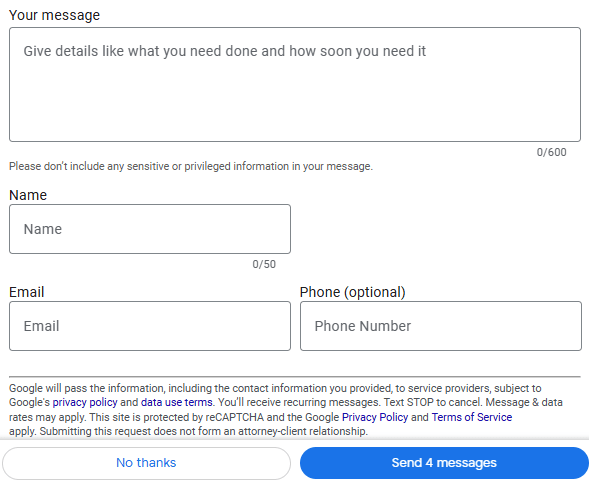
An image showing Google LSA’s competitive quote form with a “Send 4 messages” button that delivers one inquiry to four businesses at once.
The shift in buyer behavior matters just as much as the billing change. Consumers using competitive quotes expect fast replies because Google pre-selected businesses that respond quickly. They compare pricing more aggressively because they have multiple options in hand before anyone responds.
Decision cycles compress, patience shrinks, and the first business to reply with a relevant, personalized message holds a significant advantage.
Google LSA’s competitive quote feature is a lead format in Local Services Ads that allows consumers to request estimates from up to four top-rated businesses at once through a single message. Google selects the businesses based on performance signals like response time, reviews, and messaging availability.
Yes. Based on current reporting from advertisers and industry sources, each business that receives a competitive quote lead gets charged for it. Google introduced value-based pricing for message leads in November 2025, which may adjust the cost of shared leads based on estimated lead quality, but all four businesses should expect to pay.
Check the lead details in your LSA dashboard. Leads that came through the competitive quote feature display the note “This consumer has contacted multiple businesses.”
The only way to avoid competitive quote leads is to turn off message leads entirely in your LSA settings. That removes you from the competitive quote pool but also eliminates all message-based leads from your pipeline.
Yes. Response time is a confirmed ranking signal for LSAs and directly influences whether your business appears in the competitive quote selection. Google also displays your typical response time publicly on your listing.
Focus on the factors you can control: Enable messaging, respond in under 15 minutes, build a strong review profile, personalize every reply, and maintain consistent communication across the full customer journey. These actions strengthen the signals Google uses to select the top four businesses for every competitive quote.
We foster and form long-term partnerships so that your business has long-term results.
WebFX has driven the following results for clients:
$10 billion
in client revenue
24 million
leads for our clients
7.14 million
client phone calls
Adapt now or keep paying for leads you lose
Google LSA’s competitive quotes reward the businesses that communicate fast, respond with substance, and maintain strong performance signals across every customer interaction. The feature is not a temporary test. Google formally communicated it to advertisers in November 2025, and the rollout continues to expand across markets and service categories.
Home services businesses that wait to adapt will keep paying for LSA shared leads they never had a real shot at converting. The ones that build speed, personalization, and full-journey communication into their process now will be the ones Google keeps selecting as a top-rated pro, lead after lead.
If you’re unsure where to begin, WebFX can help. With 30+ years of experience and a team of 750+ marketing experts, we’ve already generated $607M+ in revenue for home services businesses like yours.
See where your LSA performance stands and how we can make it deliver real ROI. Contact us online or call 888-601-5359 to speak with a strategist about our high-impact Google LSA services today.
Cost Per Click (CPC) Calculator
Do you advertise on platforms that charge per click? Use our calculator and figure out exactly how many clicks will fit within your budget.










 Brandon Mills is a data-driven marketing consultant at WebFX who helps roofing and home service businesses build predictable lead flow and scale revenue through SEO, PPC, and local marketing. A former roofing company owner, he understands the real challenges contractors face—from inconsistent leads to wasted marketing spend—and uses that experience to create marketing systems that don’t just drive traffic, but consistently produce booked jobs and measurable growth.