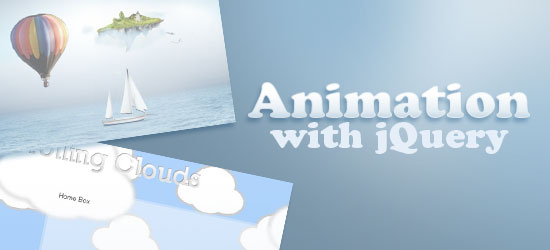
 jQuery can pretty much do anything you can think of. All you need is a creative imagination and some time to learn the simple and intuitive API. In this article, we share with you some innovative uses of jQuery in animating web design elements.
You’ll read about some interesting techniques, tutorials, and examples that will show you how to create similar effects on your own websites and web apps.
1. Puffing Smoke Effect in jQuery
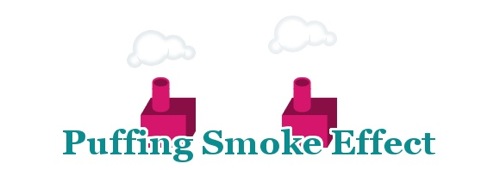 This example by Dutch web developer Gaya Kessler features an impressive animation effect of cartoonish smoke emanating from factory smoke stacks. Kessler thoughtfully supplies a configurable jQuery plugin with instructions based on his site’s header, so that you may create a similar animation effect for your website. Live Demo: Smoke Effect
2. Crafting an Animated Postcard
 Sam Dunn of the web development duo, Build Internet, wrote a tutorial on how to create an animated landscape using transparent PNG images. The tutorial takes advantage of the popular jQuery Easing plugin to help with the animation and the
 setTimeout() JavaScript function to time the events accordingly. Live Demo: Animated Postcard
3. Create a Realistic Hover Effect
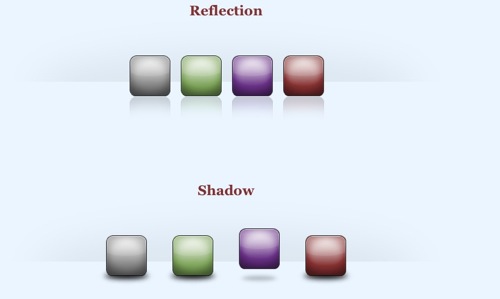 In this tutorial, you will learn how to animate image elements in a smooth and fluid manner. The tutorial features objects that, when hovered on, rises upwards. In the live demo of the effect, notice how the reflections and shadows at the bottom also changes when the object lifts up; hence “realistic” in the name of the technique.
Live Demo: Realistic Hover Effect
4. Scrolling Background Effect
 The creators of the site youlove.us shares their code (and explanation) for making a seamless vertical scrolling CSS background; featured on the site’s header. The script is also dependent on the user’s system time; the animation starts at a different position depending on whether you visit the site at night or in the morning, a nice touch. Live Demo: youlove.us (web page header)
5. Multiple Animations with Glimmer
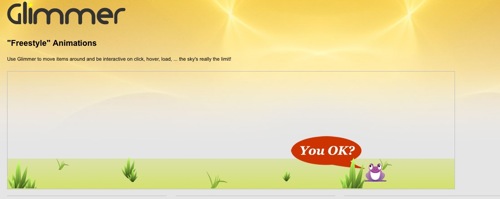 Glimmer, a JavaScript animation creation tool that leverages the jQuery library, has several live demonstrations for some of the things you can do with the app. For instance, with Glimmer, you can create cool animation sequences or make a spiffy and impressive rotating banner for your website. Live Demos: Freestyle Sample, Image Sequence Sample, Fade Text Sample
6. jQuery Blend
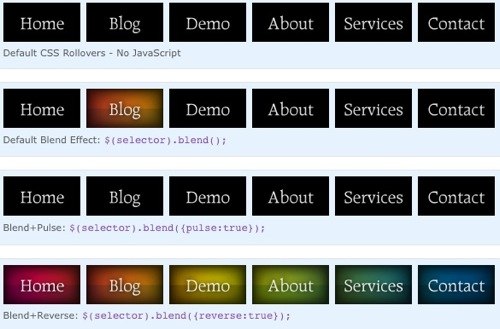 jQuery Blend is a plugin for animating CSS background images. The project emphasizes on web development best practices such as progressive enhancement so that users with JavaScript disabled are still able to interact with your interface, albeit without the animation effects, making for a truly universal design. Live Demo: website navigation with different options
7. Parallax Scrolling Background
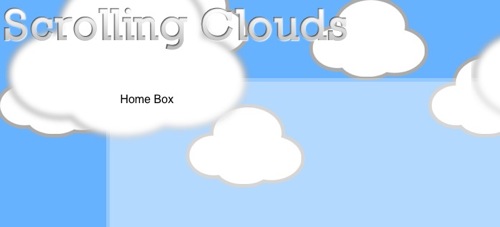 In this jQuery tutorial, you will learn how to construct a Parallax Scrolling background – first popularized in web interfaces with the use of Flash. The technique involves div elements with CSS background images. The Parallax Scrolling technique requires the scrollTo plugin by Argentinean Web Developer and Game Programmer, Ariel Flesler.
Live Demo: Scrolling Clouds
8. Stunning Sliding Door Effect
 Designer and Developer Kevin Liew shows other website builders how to create a striking animation effect where a top image splits up into four pieces, moving smoothly to the corners, and revealing another image beneath it. It’s an animation effect suited for interactive thumbnails of images. Live Demo: Sliding Door Effect
9. Make Your Header Responses to Mouse Movements
 Editor’s note: As of April 16, 2012, this resource no longer exists so the link has been removed.
 In this jQuery animation technique, you will learn how to animate a set of images that reacts to the user’s mouse movements. When the user hovers over a set of images, the set begins to follow the mouse cursor.
This technique can be adapted to many user interface related functions, or you can just use it to impart a memorable experience to your users. Live Demo: parallax
10. Animated Header Using jQuery
 This animated tutorial goes over a similar concept to the youlove.us example of vertically moving a large CSS background image. Illustrations on how the technique works will help readers grok the concept more fully. Devirtuoso, the author of the tutorial, goes through due diligence by offering an IE6 hack for backwards compatibility.
Live Demo: Animated Header Can jQuery replace Flash? Do you know of other impressive uses of jQuery to animate page elements? Why don’t we talk about it in the comments? *Co-written by Jacob Gube
Related Content
-
 President of WebFX. Bill has over 25 years of experience in the Internet marketing industry specializing in SEO, UX, information architecture, marketing automation and more. William’s background in scientific computing and education from Shippensburg and MIT provided the foundation for RevenueCloudFX and other key research and development projects at WebFX.
 -

WebFX is a full-service marketing agency with 1,100+ client reviews and a 4.9-star rating on Clutch! Find out how our expert team and revenue-accelerating tech can drive results for you! Learn more
Make estimating web design costs easy
Website design costs can be tricky to nail down. Get an instant estimate for a custom web design with our free website design cost calculator!
Try Our Free Web Design Cost Calculator
Share this article




Web Design Calculator
Use our free tool to get a free, instant quote in under 60 seconds.
View Web Design Calculator
Make estimating web design costs easy
Website design costs can be tricky to nail down. Get an instant estimate for a custom web design with our free website design cost calculator!
Try Our Free Web Design Cost Calculator
What to read next