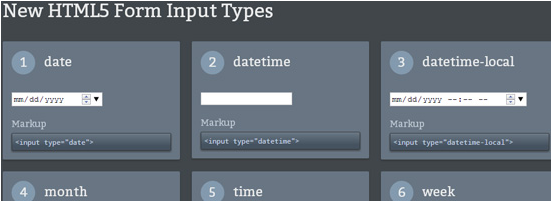


There’s a plethora of new HTML5 form input types (13 new ones to be exact) that make creating engaging and easy-to-use web forms much easier for web designers. The new HTML5 input types give us data validation, date picker controls, color picker controls, inline help text, and more in the web browsers that support them.
Advantage of HTML5 Form Input Types
The benefits of these new input types are tremendous for web designers. First, the new input types reduce our reliance on client-side- and server-side-scripting for validating common data types like dates, email addresses, and URLs.
For mobile UI developers: You know that creating cross-platform web forms using HTML4 standards is a pain. Using HTML5 form input types could make things easier. For instance, a form written with HTML5 can utilize the mobile device’s native specialized keyboards depending on what the target input type is.
Here’s an example of using HTML4 input types (on the left) for entering dates in a web form versus using the HTML5 date input type (on the right): 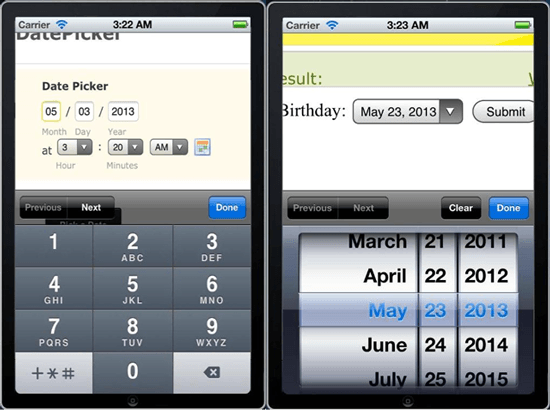 The difference between using HTML4 versus the HTML5 date input type. Notice how the iPhone’s native keyboard automatically switches over to its native date picker control because it knows that the target input is a date. Here are other examples.
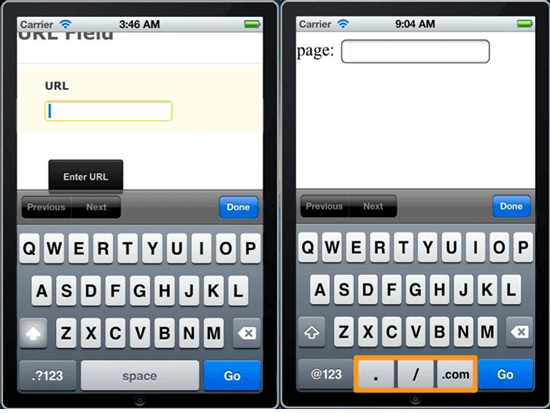
url Input Type
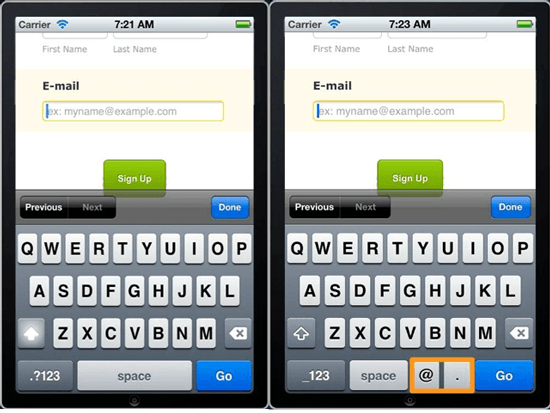
email Input Type
The New HTML5 Form Input Types
Here’s a table of all the new HTML5 input types for your reference.
| Input Type | Description | HTML Markup |
|---|---|---|
date |
A control for entering the date. | <input type="date"> |
datetime |
Date and time using UTC date and time format | <input type="datetime"> |
datetime-local |
Date and time according to your local time | <input type="datetime-local"> |
month |
Month and year | <input type="month"> |
time |
The time of day | <input type="time"> |
week |
Allows you to pick the week and year. | <input type="week"> |
color |
Allows you to enter a simple color value (which is in hexadecimal color notation) | <input type="color""> |
email |
Validates the input using the standard email format | <input type="email"> |
tel |
Gives you the ability to validate telephone numbers format against a pattern | <input type="tel"> |
search |
Searches a data set (like a <datalist> HTML element) |
<input type="search"> |
range |
A slider control for picking a number in between two numbers | <input type="range"> |
number |
Accepts numbers only | <input type="number"> |
url |
Accepts URLs only | <input type="url"> |
HTML5 Form Input Types Demo
Here’s a live demo of each input type so that you can play around with them. 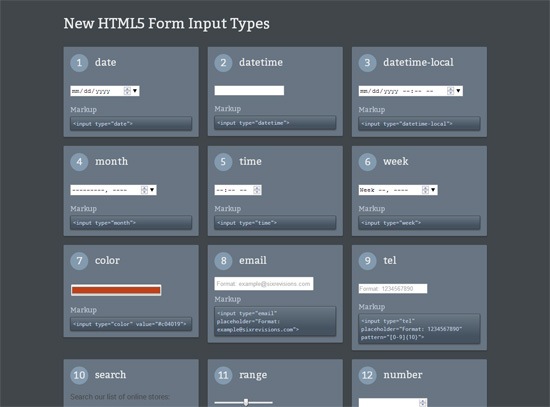 Note: This demo page will only work on browsers that support these input types, so it might not work properly when you view it.
We also recommend viewing this demo page on different browsers so you can see how each browser treats these input types; they differ drastically in some cases.
Let’s talk about the new input types.
date
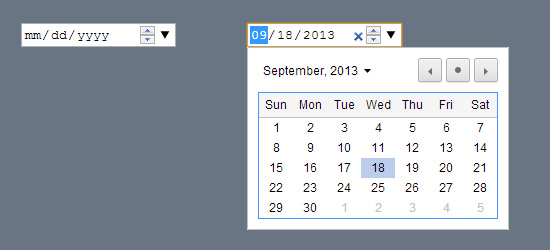 The calendar date picker is a standard UI design pattern for allowing users to enter date information in web forms. This is useful for asking users to enter their date of birth or credit card expiration date. This UI pattern is so common that in HTML5, there’s now the
 date input type that makes it dead-simple to include date pickers in your web forms.
No more JavaScript or server-side programming or installing jQuery plugins, you just need HTML markup (and CSS to make it look prettier).
datetime
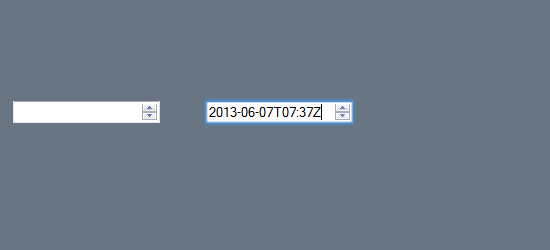 This input type is designed to take in a global date and time string.
datetime-local
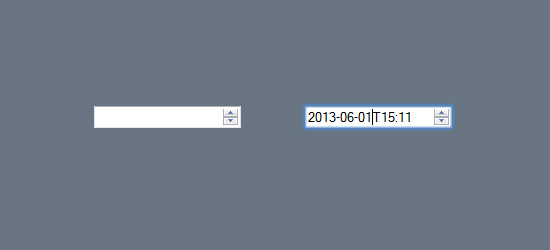 This input type is for a local date and time string.
month
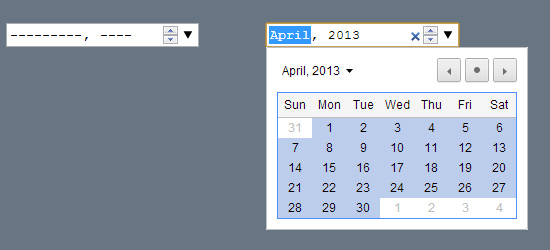 If you want to allow users to enter a month, this is the input type to use.
week
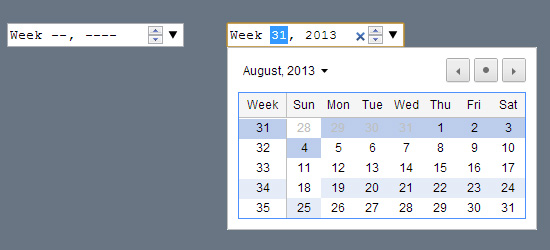 If you want to allow users to enter a week (such as the 31st week of 2013) this is the input type to use.
time
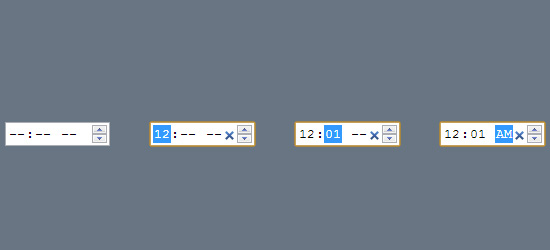 This is for inputting the time in the the day. Some browsers will use military time by default (e.g. 16:00), while others use the AM/PM format (e.g.
4:00PM).
color
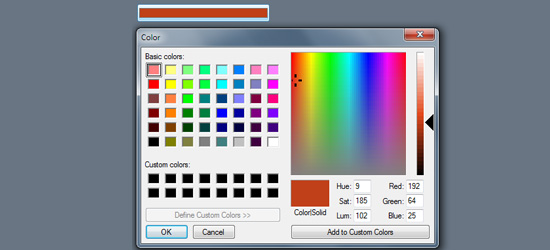 The color picker UI design pattern is a way of allowing users to choose a color. The color input type gives you a form input control for a picking hexadecimal color value. Some browsers (like Safari) won’t show you a color picker UI though, they’ll just check whether or not the data is a hexadecimal color code (e.g.
#000000).
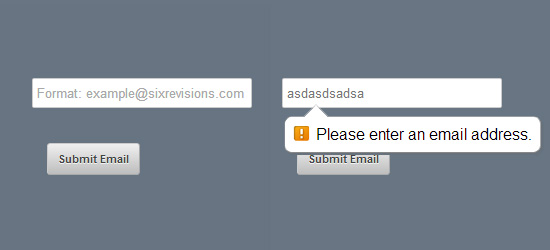 In HTML5-compatible browsers, this input type is set to validate the entered data for the correct email address syntax.
tel
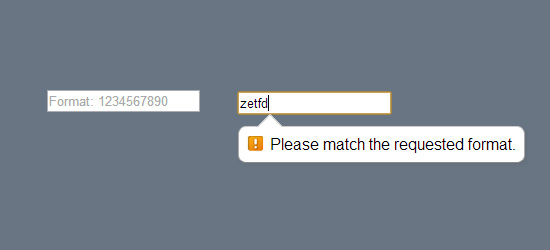 This input type is ideal for taking in phone numbers.
search
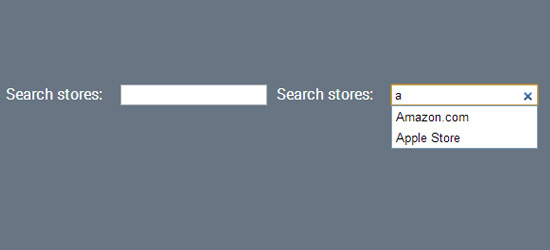 The search input type is meant to be used with a data set such as the datalist HTML element or the results of querying a MySQL database. It searches the data set for a match, and also gives you a list of suggestions as you type (which is called the autocomplete user interface pattern).
range
 This input type is another way to get number-related data from users. By default, it has a slider user interface.
number
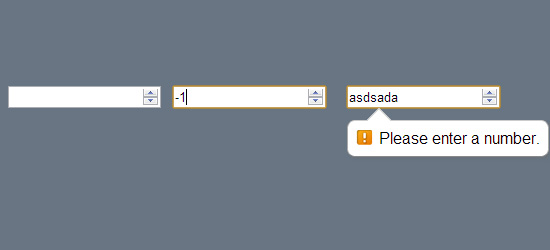 This input type restricts data entries only to numerical values.
If you include min and max attributes, it also validates the data input to make sure the number is between the min/max values.
url
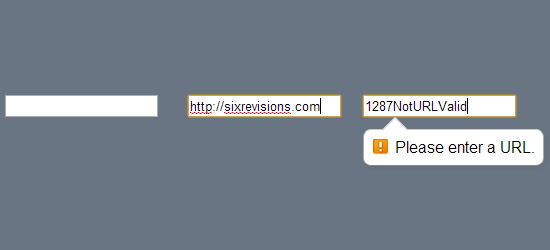 Theis input type validates the entered data to make sure that it follows the standard URL format.
Conclusion
These additional input types in HTML5 help us build user-centered web forms easier. The modern web designer no longer needs to break his/her back in order to enable more complex data input patterns. The times are changing for all of us.
Let’s not forget to update our forms to match.
Related Content
-
 President of WebFX. Bill has over 25 years of experience in the Internet marketing industry specializing in SEO, UX, information architecture, marketing automation and more. William’s background in scientific computing and education from Shippensburg and MIT provided the foundation for RevenueCloudFX and other key research and development projects at WebFX.
 -

WebFX is a full-service marketing agency with 1,100+ client reviews and a 4.9-star rating on Clutch! Find out how our expert team and revenue-accelerating tech can drive results for you! Learn more
Make estimating web design costs easy
Website design costs can be tricky to nail down. Get an instant estimate for a custom web design with our free website design cost calculator!
Try Our Free Web Design Cost Calculator
Share this article




Web Design Calculator
Use our free tool to get a free, instant quote in under 60 seconds.
View Web Design Calculator
Make estimating web design costs easy
Website design costs can be tricky to nail down. Get an instant estimate for a custom web design with our free website design cost calculator!
Try Our Free Web Design Cost Calculator