


MySQL is the most popular open-source database. Whether you’re an aspiring web application developer or a person working on an existing database-driven web application like a content management system, ecommerce platform, or blogging platform — there are a variety of handy applications that you can use to make MySQL database design and administration (relatively) a breeze. So if you find yourself in a position where you have to work with MySQL, you don’t have to use a command-line interface, check out these 7 outstanding applications to help you create, write, manage, and visualize your database.
1. TurboDbAdmin
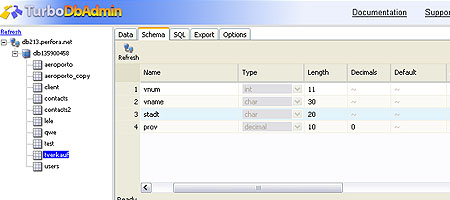 TurboDBAdmin is a free web-based AJAX application that helps you manage, explore, and edit MySQL and PostgreSQL databases. It gives you the ability to export your database into a downloadable file which you can keep as a back up in case you need to restore your database. Installation is very simple, just upload the application to your web server, edit the config.php file to reflect your database information, and it’s ready to go — just navigate to your installation directory in your web browser to access the application.
It works in Apache and IIS HTTP servers, and requires PHP installed and enabled on the web server. TurboDBAdmin demo page
2. EMS SQL Manager for MySQL
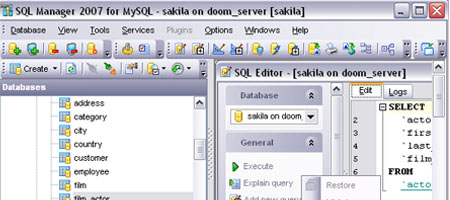 EMS SQL Manager for MySQL is a first-rate graphical interface tool for MySQL database administration and development. It comes in two versions: the Full version (which isn’t free) and Lite version which is still feature-packed. The Lite version of the EMS SQL Manager for MySQL allows you to effortlessly create and manage users and permissions without having to use a command-line interface.
It also has several SQL editors that you can use that have syntax highlighting/coloring to make queries easier to read. View the Feature List of EMS SQL Manager
3. MySQL GUI Tools
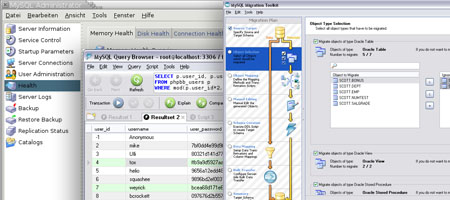 MySQL GUI Tools is a bundle of graphical user interface tools that includes MySQL Administrator 1.2, MySQL Query Browser 1.2, and MySQL Migration Toolkit 1.1. MySQL Administrator is a GUI for managing databases and has database optimization features, rapid back up and restoration of databases, access to log and error files, and more. The MySQL Query Browser gives you a script editor that can help easily edit and debug troublesome queries, among other things.
MySQL Migration Tool Kit allows you to simplify the process of transferring MySQL databases into other server environments, providing features such as remote server-to-server migration and optimization of migration processes by creating scripts you can run again if you move or copy databases frequently.
4. phpMyAdmin
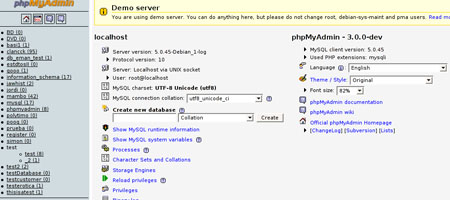 phpMyAdmin is a browser-based MySQL database administration tool written in PHP. It’s my personal graphical interface administration tool of choice because it’s simple to use and has a big list of features and options. You can easily export a database for back up or migration into another server environment.
You can also import a database effortlessly. Optimizing a database is a one-click affair, and is useful to try if your web applications seem sluggish (be sure to back up your database first though). phpMyAdmin demos page
5. Instant SQL Formatter
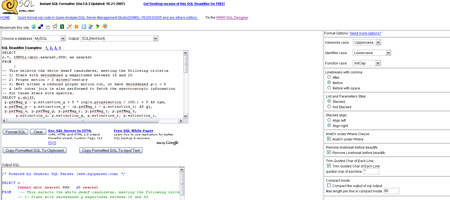 Instant SQL Formatter is a web-based application that “beautifies” your SQL code. It’s not strictly a MySQL database tool as it supports other databases such as MS SQL and Oracle. It can output scripts for many popular languages such as PHP, VB.NET, Java, and C#.
There’s also a desktop version that has added functionalities such as additional formatting options, batch conversion of files, and highlighting/colorizing SQL statements.
6. DB Designer 4
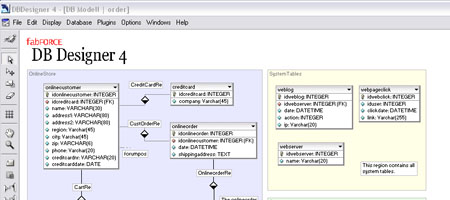 DB Designer 4 is another excellent visual database editor for MySQL. DB Designer 4 is an open source project released under the GNU GPL license and is available for Linux and Windows OS. It allows developers to create and share plug-ins to extend the existing features of DB Designer 4. It has two modes: Design mode – which is a visualization tool for creating and maintaining databases, and Query Mode – which lets the developer build complex SQL queries for use with PHP or another scripting language. DB Designer 4 also has a full set of documentation options to help you manage and record information about your database. View DB Designer 4 screenshots
7. WWW SQL Designer
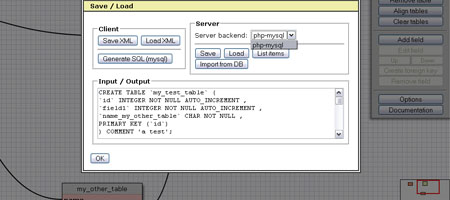 WWW SQL Designer allows you to model databases via your web browser. It’s a great way to document your database design, just use the print screen function key on your keyboard (or your preferred screen-capturing application), paste it into an image editor or word processing software, and you’ll have a document of your database model. Once you’re satisfied with the model, you can auto-generate the MySQL code.
WWW SQL Designer is a simpler alternative to more complicated desktop applications, and if you just want to quickly create a database schema example, you can just use the live demo without installing anything. WWW SQL Designer live example Have you got a favorite MySQL application or tool? Share it with us on the comment sections.
-
 President of WebFX. Bill has over 25 years of experience in the Internet marketing industry specializing in SEO, UX, information architecture, marketing automation and more. William’s background in scientific computing and education from Shippensburg and MIT provided the foundation for RevenueCloudFX and other key research and development projects at WebFX.
 -

WebFX is a full-service marketing agency with 1,100+ client reviews and a 4.9-star rating on Clutch! Find out how our expert team and revenue-accelerating tech can drive results for you! Learn more
Make estimating web design costs easy
Website design costs can be tricky to nail down. Get an instant estimate for a custom web design with our free website design cost calculator!
Try Our Free Web Design Cost Calculator
Share this article




Web Design Calculator
Use our free tool to get a free, instant quote in under 60 seconds.
View Web Design Calculator
Make estimating web design costs easy
Website design costs can be tricky to nail down. Get an instant estimate for a custom web design with our free website design cost calculator!
Try Our Free Web Design Cost Calculator